how to make windows Bootable the Easy way
WinSetupFromUSB is a tool for creating multiboot USB drives with Windows, Linux, and other utilities. It simplifies the process of booting and installing various operating systems from a single USB drive.
Here's a step-by-step guide:
Step-by-Step Guide to Using WinSetupFromUSB
Downloading WinSetupFromUSB. ... Dowload here.
Installing WinSetupFromUSB. ...
Preparing Your USB Drive. ...
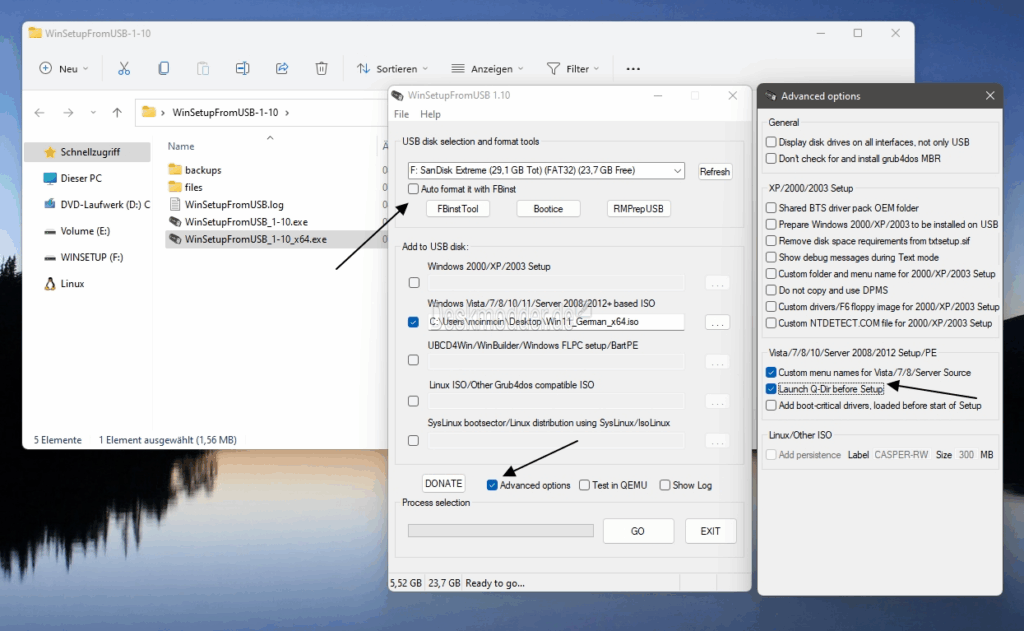
Launching WinSetupFromUSB. ...
Selecting Your USB Drive. ...
Adding Operating Systems or Utilities. ...
Starting the Installation Process. ...
Booting from Your USB Drive.
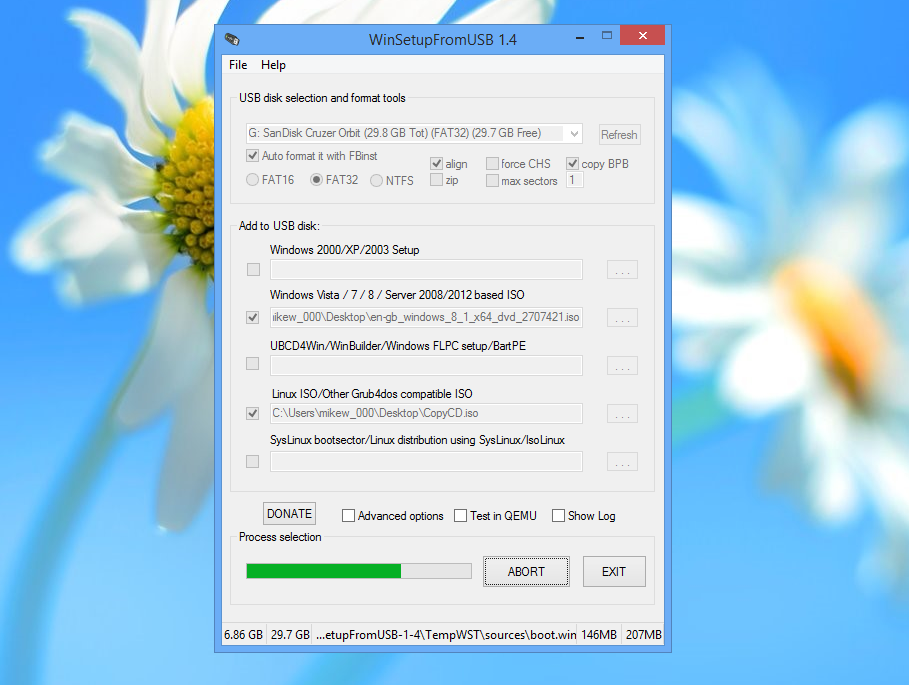
How to use WinSetupFromUSB?
Boot from the USB:
When booting your computer, select the USB drive as a boot option from the boot menu (often F11, F12, or Esc).
The Ventoy bootloader will allow you to choose from the ISOs you copied.
DOWNLOADS:
LIST OF WINDOWS ISO FILES AND TECH TOOLS
WINDOWS 10 ISO
WINDOWS 11 ISO
WINDOWS 10 PRO
WINDOW LITE
WINDOWS PE
DLCD BOOT - FOR TECH TOOLS
ANHDVBOOT - FOR TECH TOOLS
ACRONIS TRU IMAGE - FOR CLONING